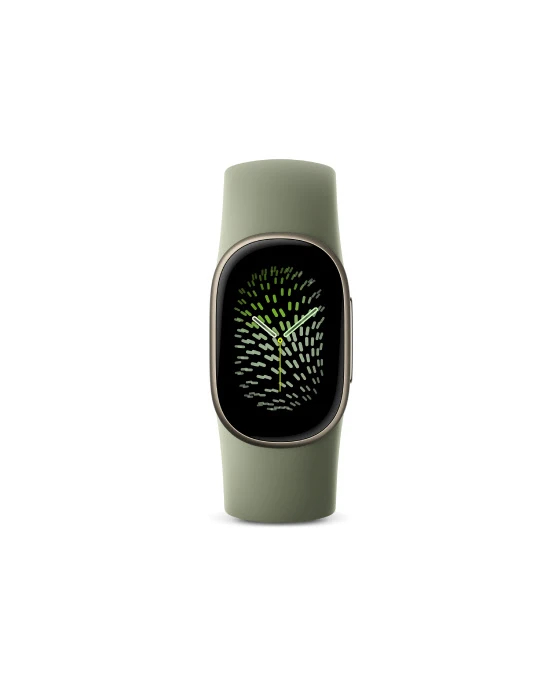
The Fitbit brand, which Google acquired in 2019, has since seen the company increasingly prioritize its Pixel Watch line, prompting speculation about whether the brand would survive. But Google has recently rolled out a string of new products under the Fitbit name, led by the fitness tracker “Fitbit Edge.” Positioned for people who don’t want to spend heavily on a full-fledged smartwatch, its hallmark is that the experience changes significantly depending on how it is set up.
The Edge works in tandem with the Google Health app. Basic functions are usable right out of the box, but revisiting a few settings changes how much information it can display, how long the battery lasts, and how comfortable it feels to wear.
The first thing worth revisiting is the watch face. In Google Health, go to “Connected” and select the device, then navigate to “Watch face” → “Watch” to browse and install a face you like. On the Edge itself, long-pressing the screen lets you switch between installed faces. What matters is not just looks but the fact that different faces accommodate different numbers of tiles (widgets). “Modular”-style faces in particular support up to four or five tiles, letting you line up calories burned, heart rate and other metrics alongside the time and weather.
Surprisingly important is “tracker orientation.” This setting determines whether the physical button sits on the left or right relative to the screen display, and it is also changed from the device settings in Google Health. It comes in handy when you keep accidentally pressing the button during certain exercises — in the deadlift, for example, a wrist strap tends to hit the button, so flipping the orientation or wearing the device higher on the arm can help.
If you want fewer notifications, or if you sync data with external services, there is also the option of disabling “coaching insights.” From the profile icon in Google Health, go to “Google Health settings” → “Coaching” and select “No coaching insights,” and daytime summaries and tips will no longer pop up automatically on your smartphone.
How location data is handled also directly affects battery life. Changing the device settings so GPS is always acquired via the smartphone can significantly reduce battery drain. However, location data won’t be recorded at all when you don’t have your phone with you, so caution is needed for activities like swimming where carrying a phone isn’t practical. In that case, leaving the setting on “dynamic” lets the device automatically switch to its built-in GPS when no phone is present.
If battery life is a priority, you’ll also want to turn off the always-on display. According to Google, enabling this feature cuts maximum battery life from seven days to about two. In real-world use it could be even shorter, especially when the built-in GPS is used as well. For people running a full marathon or prone to forgetting to charge, this is a setting worth turning off.
There is also room to refine your daily charging routine. Even when the battery is low, about five minutes of charging can be enough for a day of use. Drawing out that charging speed requires a cable paired with a 30W power adapter, but getting into the habit of setting the device on the charger while you shower, for example, eases worries about running out of battery.
Options for the Fitbit Edge are expanding in the Japanese market as well. In a smartwatch feature that ASCII.jp compiled in fall 2026, it noted that the Fitbit Edge and the “Fitbit Air” both support Android and iOS. While the Pixel Watch is Android-only, Fitbit-brand products have the advantage of remaining usable even if you switch smartphones, the article said.
The feature cited three criteria for choosing a smartwatch: supported OS, battery life and features. It pointed out that while the Apple Watch is iOS-only and the Pixel Watch is Android-only, dual-compatible products are becoming mainstream, and that battery life is polarizing into “once a day” and “two weeks” camps. Basic functions such as heart rate and sleep tracking and notification display show little difference across products, it said; the differences come in specialized features like electrocardiograms, standalone connectivity and whether GPS is built in.
Google itself is looking to mount a comeback with the Pixel Watch 5. It comes in two sizes, 41mm and 45mm, with prices starting at ¥62,800 (approximately $390). The top-end LTE 45mm model costs ¥84,800 (approximately $530). It supports FeliCa, so registering it with Google Wallet lets you use Suica, PASMO, QUICPay and iD with just your wrist. The display reaches up to 3,000 nits, and the processor is the Snapdragon W5 Gen 2 Accelerated, with 50% more memory and 20% faster processing than the previous model. It also offers 5 ATM water resistance and IP68 dust and water protection.
On the other hand, some see the Pixel Watch 5 as still leaving doubts about battery life for use lasting up to two nights. That contrasts with the Fitbit Edge’s claimed seven-day battery life, and Google appears poised to capture different user segments with two product lines under different brands.
A fitness tracker’s settings may be unglamorous, but they affect daily measurement accuracy and how often you need to charge. With the Edge, simply revisiting four points — the choice of watch face, button position adjustment, notification suppression, and how GPS and the always-on display are handled — yields a different experience from the one right after purchase. In particular, the fact that turning the always-on display on or off changes battery life from seven days to two is a setting worth remembering as one that shapes the product’s character.