Famed actor and martial artist Richard Norton died last year after taking unapproved peptides, according to a newly released coroner’s report.
Norton, who was known for his villainous roles in Hong Kong action films including 1997’s “Mr Nice Guy,” and more recently the latest “Mad Max” films, died on March 30, 2025, at the age of 75. At the time, his cause of death wasn’t known to the public.
Now the coroner’s writeup, as reported by NBC News, reveals that he died at his home of sudden cardiac arrest “following self-administration of recently commenced peptide therapy” that he was undergoing with the supervision of his doctor.
Norton, however, had been exceeding the dose that he was prescribed. Just two days before he died, he told his nurse that he’d been taking “double the prescribed dose” of two peptides called CJC1295 and Ipamorelin. The nurse then “advised Richard” that “he ought to only administer the prescribed dose.”
The reason Norton was taking peptides was probably to help keep up his athleticism in his old age. He told his doctor that he was interested in peptide therapy, saying he had already taken the drugs under another doctor’s guidance for “fatigue, reduced physical recovery, shoulder pain and loss of lean muscle mass.” The peptides he was taking are commonly blended together to stimulate growth hormone production and help with recovery.
Australia’s ABC News reported that his death is believed to be the first in the country that’s known to be caused by unapproved peptide use.
Norton’s downturn came suddenly. He took blood tests before being approved to start peptide therapy less than two weeks before he died. For the next week, he reported feeling fine and that the treatment was working. Just a few days after checking in with the nurse, though, Norton complained that he felt “hot and flushed and then collapsed and became unresponsive.” Paramedics arrived, performed CPR after observing he was experiencing cardiac arrest, and took him to the hospital. He died two days later.
Peptides are short chains of amino acids that are typically injected to bring about purported medical benefits. Some have made it through clinical trials and can be prescribed legally, like Ozempic and Zepbound. But synthetically produced peptides that haven’t been well studied have simultaneously achieved explosive popularity in biohacking spheres and among wealthy figures and celebrities — and while many swear by their benefits, the long term health consequences remain hazy, as does their legality. Many are produced in China and sold by dubious vendors.
The coroner didn’t mince words on unapproved peptides, noting that they’re not approved by Australia’s health regulators or “any global regulatory authority for human use,” with their use “mostly considered experimental in humans,” and their “toxicology is largely unknown.”
More on peptides:RFK Jr Opens the Floodgates on Experimental Peptides, Alarming Scientists
In October, Amazon announced its refreshed Kindle lineup, its first significant design overhaul in years. The highlights included a new edge-to-edge design that eliminated traditional raised bezels, thinner and lighter Paperwhite and Colorsoft models with better displays, and page-turning accessories like a Bluetooth remote and a magnetic cover with page-turn buttons.
However, given the impact of the global memory-chip shortage driven by the AI boom, the new Kindles also debuted with pricing that had increased by $40 to $50 across the lineup. That makes it more difficult for the average consumer to consider buying one of the more premium devices.
For that reason, the Kindle I most wanted to get my hands on was the 6-inch entry-level device, which starts at $169.99 for the ad-free version. With the price hikes, this is the Kindle that will remain the most affordable to new e-reader buyers.
Image Credits:TechCrunch
The question I weighed was whether or not the basic Kindle is even worth buying at this price when there are arguably better Kindles on the market. The answer, after a couple of weeks of testing, is yes — if you can live without the bells and whistles and prefer a smaller, lighter device.
On the 6-inch Kindle, there’s no warm light to reduce eye strain, no color display, no auto-adjusting brightness, no option to use the page-turn cover, and it’s not waterproof. Obviously, because of its size, the screen is smaller, as is the battery. Battery life is 6 weeks compared with the Paperwhite’s 12 weeks or Colorsoft’s 8 weeks.
Still, even this basic Kindle has seen improvements of its own, mostly from a physical design perspective.
The plastic 2026 Kindle is 11% lighter and 14% thinner than the 2024 model, weighing 140g versus 158g and measuring 6.85mm thick versus 8mm. While this seems like a small change, the 18-gram difference is noticeable and particularly welcome for a device you’re likely to carry in your purse or bag. Plus, it makes it easier to hold for hours on end when you’re really binging your way through a book.
(The aluminum version, meanwhile, is slightly heavier at 162g, or 4 grams more than the 2024 Kindle, though it still benefits from the slimmer design.)
Image Credits:TechCrunch
And despite being the “starter” Kindle, the 6-inch basic device still received the new flush-front screen update. This makes it more comfortable to hold in your hand, especially for those long reading sessions. Amazon explained that you don’t have to worry about no longer having a bezel to rest your thumb upon, either, as the new Kindles have been updated to detect a dead zone in the capacitive touch that will readjust to account for the fact that your finger is there.
In practice, that doesn’t mean you can just press your thumb down anywhere on the Kindle’s screen as you hold it — doing so would register this as an attempt to highlight or look up a word. Instead, it means you can rest your thumb or fingers on the outer edge of the Kindle’s screen (the colored border) without triggering an unintentional tap, even though some of your finger will be touching part of the Kindle’s capacitive screen.
In terms of the software, the new basic Kindle is a bit snappier than its 2024 predecessor. This is most noticeable when opening books, which Amazon claims to be 30% faster.
Image Credits:TechCrunch
If you’re coming from the 2019 Kindle Basic, the 2026 version is an even bigger upgrade, as you gain USB-C, more storage (from 4GB to 8GB to now 16GB or 32GB), the new flush screen, and the screen resolution jumps from 167 ppi to 300 ppi. It’s faster, thinner, and lighter, too, and the battery lasts weeks longer.
Another perk about the basic Kindle beyond its small size (this thing fits in your jeans’ back pocket!), is that you can now pay a little more for an upgraded version with an aluminum backing instead of plastic and more storage. The new $189.99 aluminum option comes in Seagrass and Alpine Sky hues, and ships with 32GB of storage. Meanwhile, the $169.99 plastic model offers 16GB of storage.
However, even if you go for the less expensive option, you can at least now pick a fun color other than black (aka Graphite), as Amazon has introduced a cheery purple option called Ube. (I almost wish I’d gone for this one, just for the whimsy of it, even though I prefer the feel of the aluminum.)
I should point out that you can use the Kindle Click, the new Bluetooth remote for page turning, with the basic Kindle, but I’m not sure why you’d need to, if not for some accessibility-related reason. The 6-inch Kindle was already the smallest, and now it’s lighter and easier to hold, too. (But perhaps I just don’t get the appeal of the remote? I’ve barely used the remote with my Kobo either!)
Image Credits:Amazon
The big thing to consider here is whether you want to spend this much on a Kindle that lacks a warm light. While this is something of a personal preference, for some readers, no warm light is a dealbreaker. The warm light shifts the color tone of the Kindle’s display from a cooler bluish-white to a softer amber glow, which is meant to help reduce eye strain and improve reading conditions in low light or at night.
Whether you need this feature depends on where you like to read and how long your sessions tend to be. If you read nightly in bed with little light, you might prefer paying extra for a $199.99 16GB Kindle Paperwhite. (That version only comes in Graphite. The 32GB Paperwhite can come in Seaglass, too, but is $249.99).
If you often read by the pool or on vacation, you also might want to upgrade to a waterproof Kindle.
But if you can live without the extra features and want the best purse- or pocket-sized device, the 6-inch Kindle is still a viable option.
When you purchase through links in our articles, we may earn a small commission. This doesn’t affect our editorial independence.
Apple has quietly reversed one of the headline features of its iOS 27 cycle. The iPhone maker’s iOS 27.2 and 27.3 updates block video streaming apps on CarPlay, including YouTube, according to Geeky Gadgets, shutting off playback even when the vehicle is stationary. Users who want to keep the capability must remain on iOS 27.0.1 or earlier, and Apple does not allow downgrades once a device has been updated.
The restriction marks a sharp turn from the feature’s debut. iOS 27 introduced native video support for CarPlay, but only under narrow conditions: the car had to be equipped with so-called video-in-car technology that lets CarPlay detect when the vehicle is stopped, and the dashboard had to meet Apple’s hardware floor of a 1,920 x 1,080-pixel display, HEVC codec support and at least 4GB of memory. Even then, few apps qualified. YouTube and Netflix never shipped native CarPlay versions, leaving the feature dependent on AirPlay mirroring from an iPhone or iPad running iOS 26.4 or later.
The company has framed the pullback as a safety measure, saying video playback while driving poses significant risks and that the blanket restriction is meant to keep drivers focused on the road. The change nonetheless removes entertainment capability from parked vehicles, a use case Apple itself had promoted when it announced the feature.
CarPlay video playback: what changed
Detail
Native video apps
Supported on iOS 27; blocked from iOS 27.2 and 27.3
AirPlay mirroring to CarPlay
Requires iOS 26.4 or later; subject to the same parked-only rule
Rollback option
None; Apple does not let users downgrade iOS
Hardware requirements
1,920 x 1,080-pixel minimum display, HEVC codec, 4GB RAM
Apps with native support
Limited; YouTube and Netflix have not shipped CarPlay versions
Note: Hardware requirements apply to vehicles whose automakers have added video-in-car support; Apple has not published a list of compatible models.
The practical fallout is uneven. Owners who never updated past iOS 27.0.1 still have the feature. Those who took the newer releases have no official path back, and Apple has not said whether video support will return. The company has historically moved quickly to close software loopholes, which makes third-party workarounds a temporary fix at best.
Alternatives exist on both the software and hardware side. Apps such as Card TV and Carcreen run video through integrated browsers, and screen-mirroring tools can push downloaded movies or personal media from an iPhone to the dashboard. Aftermarket vendors including Carlinkit and Ottocast sell Android-based boxes that add video apps to a car’s display without jailbreaking the phone. Each carries trade-offs: many require USB compatibility or specific vehicle features, performance varies, and some ask users to log in with personal accounts, raising privacy questions because those developers do not operate under Apple’s security standards. The aftermarket boxes also bypass the parked-only restriction, a function that invites distraction if used while moving.
For drivers weighing an update, the calculation now cuts against installing the latest release. Newer iOS versions bring security patches and feature additions, but on CarPlay they trade away a capability Apple cannot restore remotely. Owners who value in-car video have reason to hold at iOS 27.0.1 until Apple clarifies its intentions, while those already on 27.2 or later face a choice between third-party tools of uncertain reliability and doing without.
The episode also puts automakers in an awkward position. They invested in the displays and video-in-car hardware that the feature required, and Apple’s software decision now determines whether that hardware does anything. Apple has not indicated whether it will revisit the policy, and its emphasis on safety and regulatory compliance suggests the restriction will hold for the foreseeable future.
Black holes can potentially divide and multiply like cells.
This scenario is unlikely but theoretically possible, new research suggests, if a black hole spins up fast enough — the maximum rate physically possible, in fact. Then the black hole “can wear pants,” funneling itself down two separate tubes of spacetime to come out as separate bodies, they report in a new study published in the journal Physical Review D.
“In our study, we investigate which physical laws normally prevent a black hole from splitting into two,” coauthor Francesco Sannino, of the University of Naples Federico II in Italy, said in a statement about the work. “We also investigate if certain circumstances may allow a split to happen.”
You’ve probably heard of black hole mergers, but a black hole split is pretty esoteric territory. Central to the work is entropy, a concept in thermodynamics that describes the degree of disorder in a system. The universe naturally tends toward disorder; it’s why things decay. Or why your house gets messier over time — unless, crucially, you introduce extra energy into the system by tidying it up .
If a black hole were to divide when it’s not rotating, it would require a decrease in entropy, or in other words, a decrease in the disorder in the system, which makes the scenario “thermodynamically unfavorable.”
That’s what pushed the researchers to explore what happens when a black hole rotates at a high speed. Intriguingly, they found a “loophole” that causes the black hole’s outer boundary, the infamous event horizon, to form a pants-like shape with two “legs” across space and time, with one resulting black hole coming out at each end.
But adding an additional constraint to this scenario, the original black hole needs to be spinning at the maximum possible speed. Any slower, and its progeny wouldn’t separate enough to prevent them from merging into one again.
“The two resulting black holes must also be able to separate rather than immediately fall back together,” Sannino said in the statement. “When we include this requirement, the window largely closes again, except possibly for black holes rotating close to their maximum possible rate.”
Though the work demonstrates it’s possible, “we cannot yet give a single probability for a black hole to split,” Sannino said. “It depends on how gravity behaves beyond Einstein’s theory, and we are working to quantify this.”
It may be possible, though, to detect a split through gamma-ray telescopes. But in case you were imagining giant cosmic monsters spawning more underlings, the researchers’ work suggests this split is more likely to happen with small black holes.
More on space:US Space Force Declares Far Side of the Moon a “Warfighting Domain,” Weighs Launch of Five Military Lunar Satellites
The post Cosmic “Loophole” Could Let Black Holes Split In Two Like Dividing Cells appeared first on Futurism.
It’s 11:47 p.m. A buyer in another time zone is on your pricing page. They’re curious. Still, they don’t want to fill out a form, wait two days, and sit through a 45-minute call just to see one feature.
So they leave.
Most SaaS teams have lost a deal this way and never found out. The buyer wasn’t uninterested. They just wanted to see the product right then, and nobody was awake to show them.
AI demo platforms fix this. They turn a quick click-through of your product into an interactive tour, a narrated video, or even an AI agent that answers questions on the spot. Many of them also come with free plans that never expire.
This guide covers 9 of them. For each one, you’ll see what the free plan includes, where the AI helps, and when you’ll need to pay.
How We Chose These Tools
First, every tool here has a free plan, not just a time-limited trial. That rule removed popular options like Walnut, Consensus, and HowdyGo, which have no free tier. It also removed Trupeer, whose “free” option is a 10-day trial.
Next, each platform had to use AI in an actual workflow: writing demo copy, generating voiceovers, translating content, or running conversational demo agents.
Finally, we checked plan details against each vendor’s site in November 2026. Prices change often in this category, so confirm the numbers before you buy.
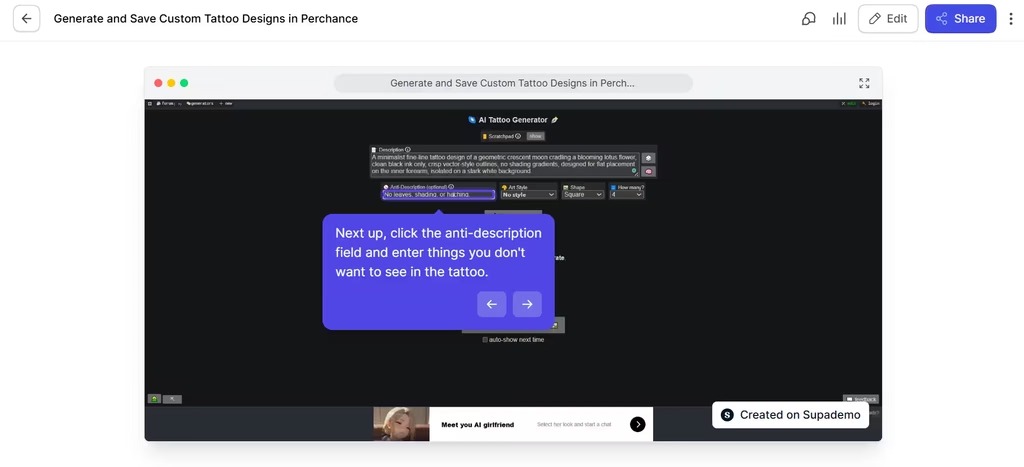
In my testing, Supademo got me from recording to a finished demo with almost no friction, thanks to its simple UI and AI assistant. The resulting demo was a smooth slideshow navigation of the AI tool that anyone can easily follow. I also liked that Supademo gave me the option to blur out sensitive information.
The only limitation I experienced was that a step was repeated twice because I re-clicked the feature to correct an entry error I had made. I also had to be careful not to click anything I don’t want Supademo to capture or misinterpret, as it did.
If you judge by how much you can publish and test without paying, Supademo has the most generous free plan on this list. You get one creator, five interactive demos, 50 video recordings, and unlimited views. AI text personalization is included. On top of that, every workspace gets 1,500 free credits for the AI Demo Agent, which Supademo says covers about 75 demo calls.
That agent is the highlight. It asks buyers about their needs, answers questions using content you approve, and shares the right demo in more than 50 languages. Paid plans add AI voiceovers, voice cloning, translation, and sandbox demos.
Verdict: At $38 per creator per month (billed yearly), Scale is worth paying for once you hit the five-demo cap or want AI voiceovers. If a handful of demos covers your needs, stay on the free plan.
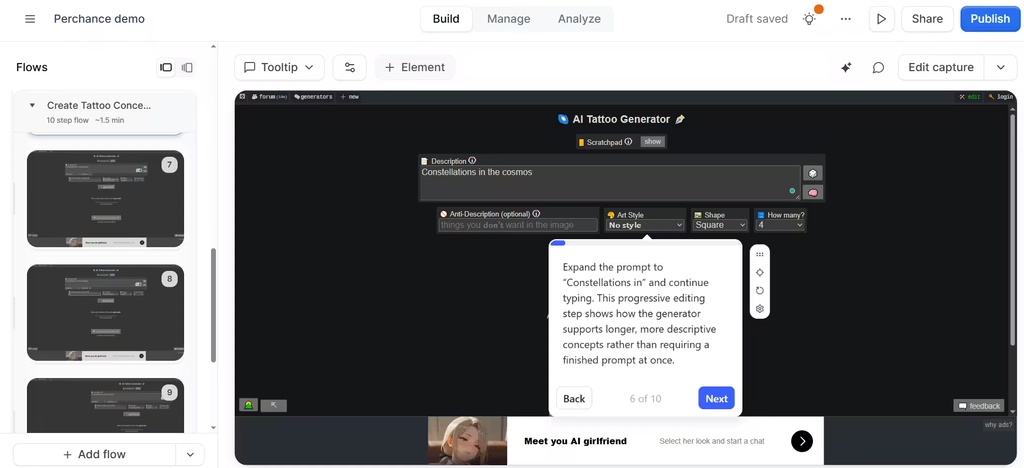
While I could set a recording on Supademo, Navattic was more about taking screenshots as I clicked. The images were then used to create the demo. I didn’t find this to be the best approach because clicking to capture took away the interactivity.
I couldn’t actually use the tool; I could only show the steps. So, I advise you to use Navattic for product demos that only require a basic slideshow. Anything more interactive can use a different tool.
Navattic’s free Starter plan is small: one seat and one demo, either HTML or media. In my view, that’s fine for testing a single homepage demo, but too restrictive for anyone who needs demos for more than one use case. However, it includes Copilot, the AI that does the heavy lifting.
You click through your product, and Copilot drafts the copy, tooltips, and demo story. Later, you can add Navattic Agents, AI voice agents that walk prospects through your product in real time.
Best for: Teams that want polished HTML demos with very little writing.
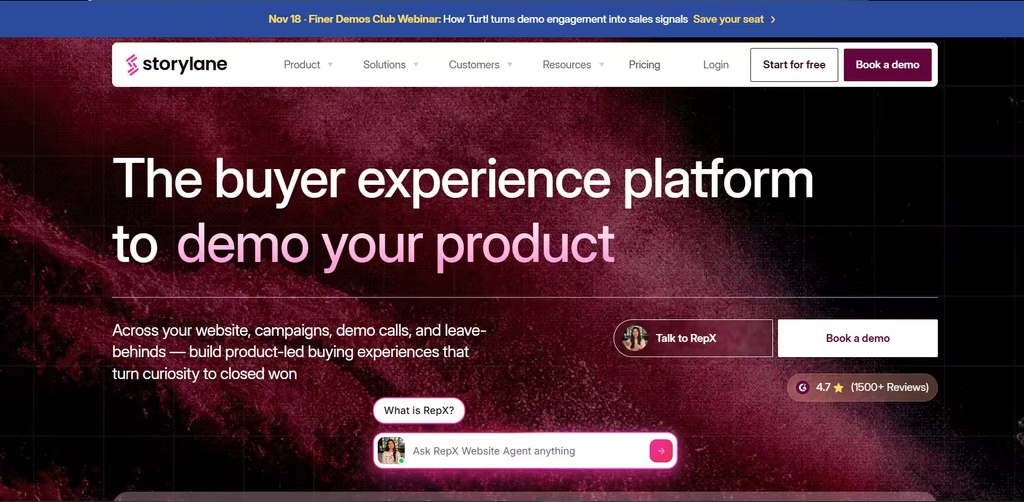
Storylane’s pricing is listed at $40 per month, billed annually, but HTML demos only start on the Growth plan, at $500 per month for five seats. Storylane’s free plan gives you one seat and one published demo with unlimited views. That’s enough to put one good demo on your homepage.
Meanwhile, the paid platform has a lot of AI. Storylane offers AI voiceovers, video avatars, and translation into 25+ languages. It also sells RepX, a conversational AI sales agent that qualifies website visitors over text, voice, or video.
The catch: With only one published demo, you have to pick between a homepage demo and a sales-ready version. You can’t have both without upgrading.
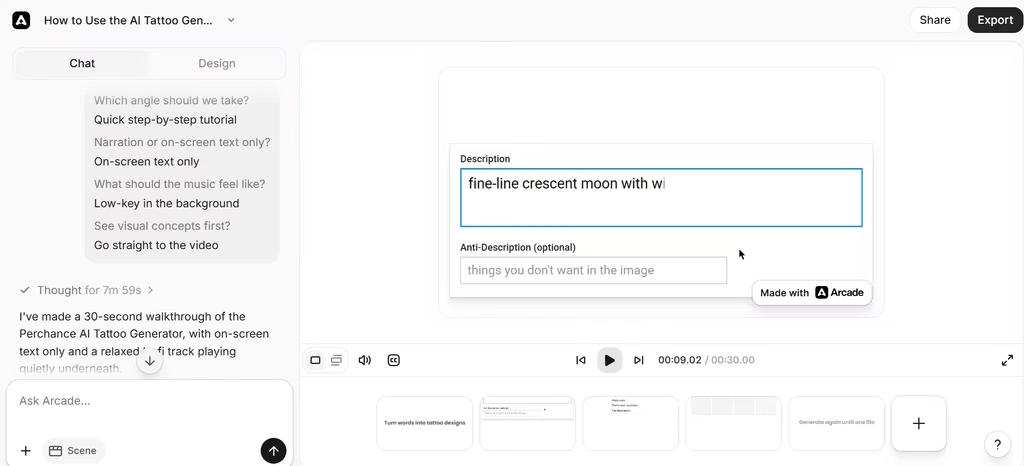
With Arcade, I only had to link the website and authorize access to create an AI-generated demo. The demo came with instructions for use and an AI voice narration. I could also prompt the AI to create the video, which I did. Both videos were accurate and easy to follow.
The free plan includes one seat, an allowance of AI credits, and an Arcade watermark.
Its AI assistant, Avery, writes copy while you record and can narrate demo videos. Arcade’s own benchmark report, built on 14 million demo sessions, found that AI voiceovers raised completion rates by 14%. My test matched that: the AI-narrated demo explained each step clearly, and I didn’t have to write a script.
Heads-up: Arcade changed its pricing in late October 2026 and now uses credit-based tiers. Check the current free allowance before you plan around it.
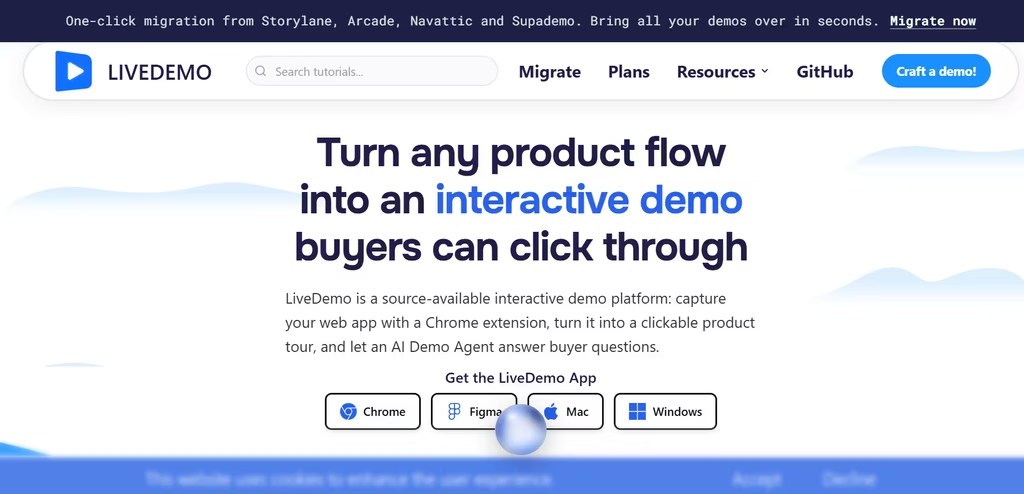
LiveDemo stands out for one reason: you can host it yourself for free. The code is source-available under the FSL-1.1-MIT license, and self-hosting costs nothing on every plan.
The hosted free plan includes one creator, three published demos, AI voiceover, and AI text personalization, with a watermark. Then, the Growth plan adds an AI Demo Agent with live video avatars that answer questions, qualify leads, and book meetings.
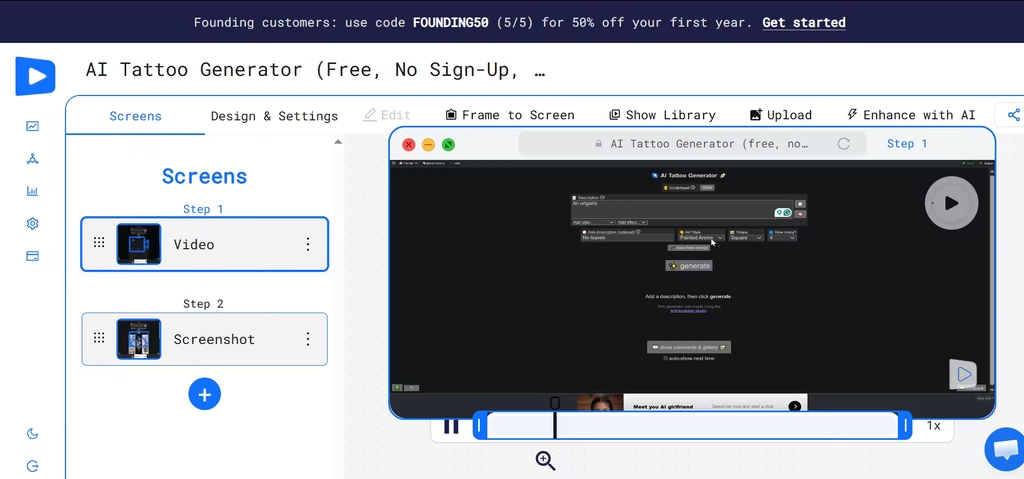
The workflow for creating a demo with LiveDemo was similar to Arcade. I pasted the website link, and LiveDemo created the demo without me actively recording or adding Chrome extensions. I wouldn’t advise this, however, as the website restricted access. Therefore, the resulting video wasn’t credible. It only displayed one step, which went on in a loop.
That’s why I took the other approach and recorded the video myself with LiveDemo’s Chrome extension. The recorded demo was far better as it displayed a video of me interacting with and navigating the site.
Verdict: Pro costs $34/month ($27 billed annually). It’s worth it once three demos aren’t enough, or the watermark starts to matter. Growth costs $49/month ($39 billed annually) and only makes sense if you want the AI Demo Agent and live avatars.
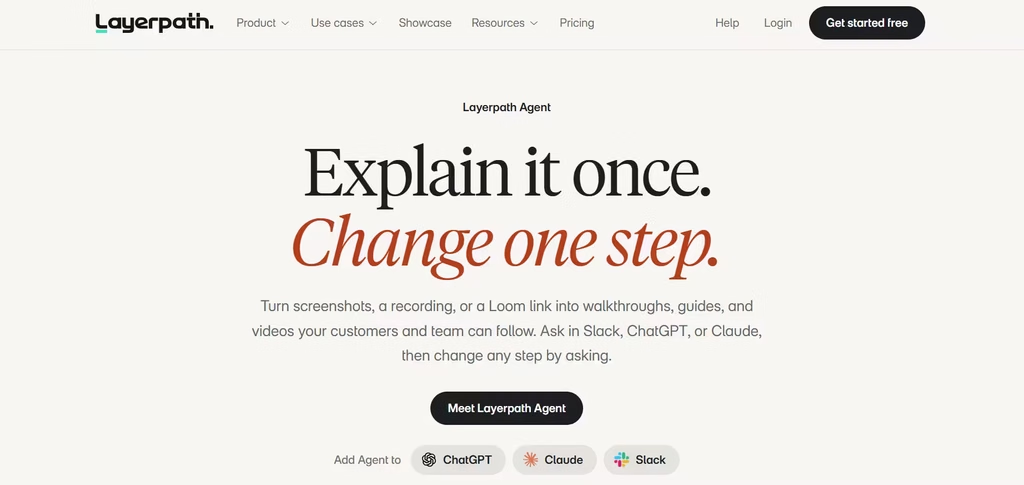
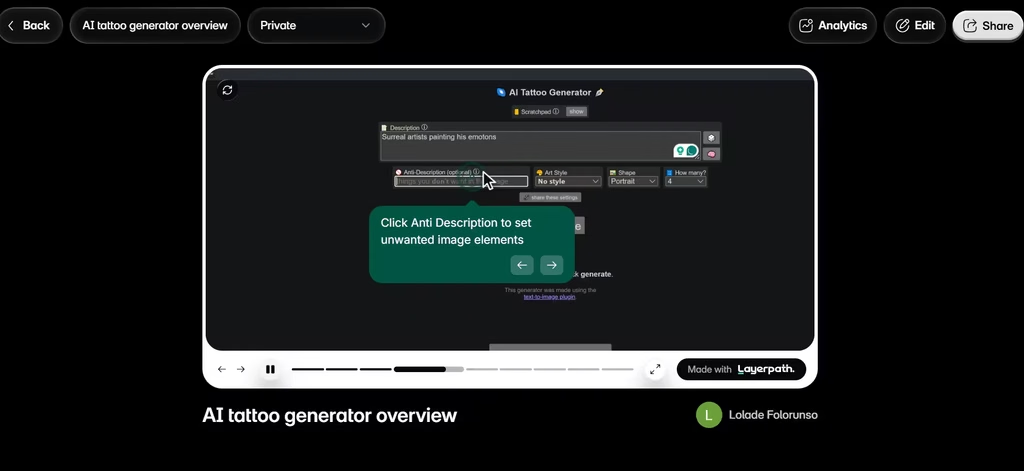
Layerpath solves a common headache: making the same content three times. I recorded once, and it produced an interactive tour, a step-by-step guide, and a narrated video.
The free plan offers more than it first seems to: one seat, unlimited projects (with three published at a time), and five watermarked video exports per month. Limited versions of Create with Agent, AI voiceover, and brand memory are included too. The agent also works inside Slack, ChatGPT, and Claude, so you can edit steps by just describing the change.
Upgrade path: Pro costs $50 per seat per month.
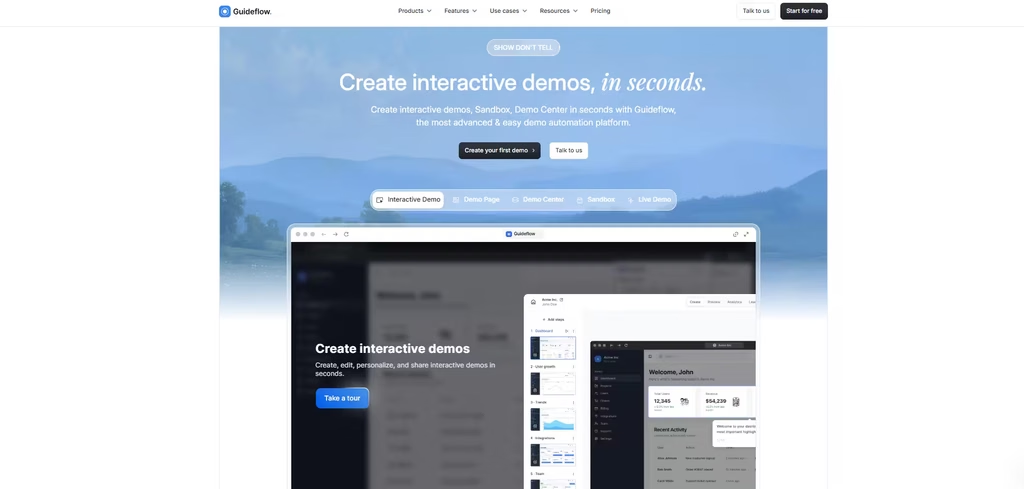
Guideflow’s free plan lets you build up to five guideflows from screenshots, with unlimited views and seven days of analytics. Demos carry a watermark.
Localization is where Guideflow’s AI goes further than most tools on this list. Guideflow generates voiceovers in 40+ languages, offers 150+ AI avatars, and can translate a whole demo in seconds. You can even create an AI clone of yourself to present.
Best for: Teams selling to international buyers.
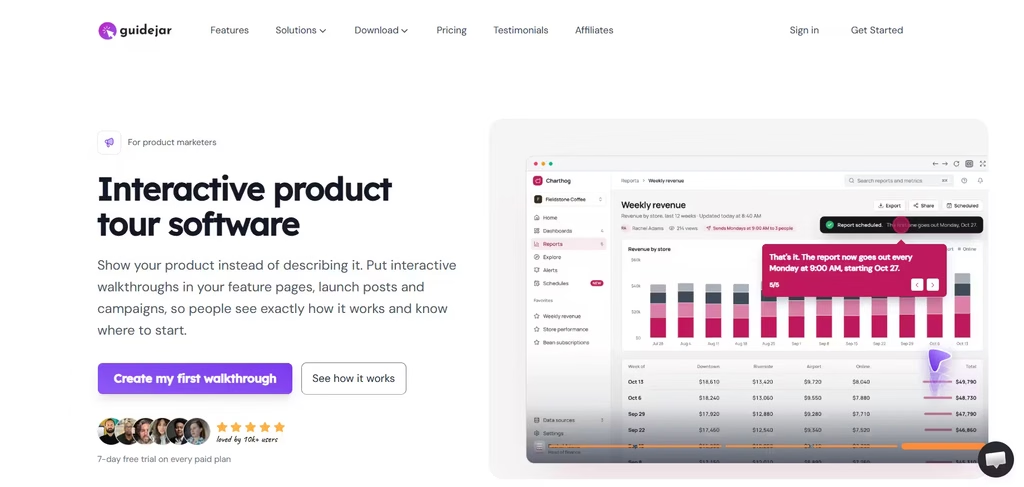
Guidejar connects demos and documentation. The free plan includes five guides for one user, browser capture, sharing, embedding, and PDF export. A watermark stays until you upgrade.
Then, at $19/seat/month ($16 billed yearly), Pro unlocks AI voiceover and translation into 30+ languages. Higher plans add an MCP server, so AI agents can build guides and search your guide library.
Best for: Teams that want demos to double as help-center content.
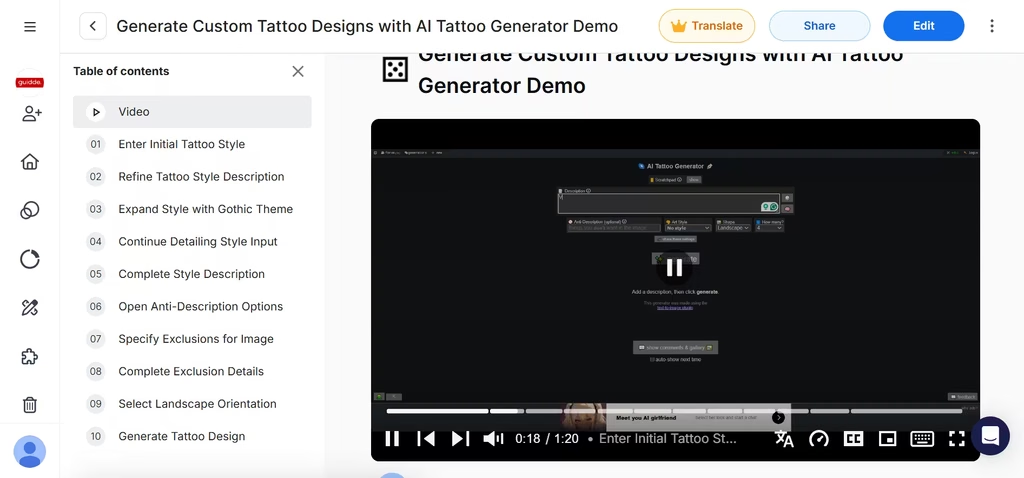
Guidde focuses on narrated how-to videos rather than click-through tours. My demo came with an AI voice narrator, like something you’d find on YouTube. Its Magic Capture recorded my workflow and automatically created step-by-step descriptions of each action I took and why.
I found this to be one of the smarter demo creation platforms.
The free plan includes up to 25 how-to videos, works with any web app, and lets you record your own voiceover. AI text-to-voice is on paid plans; Business is the first tier with unlimited use.
Upgrade path: Pro costs $19 per creator per month, billed annually.
How to Choose the Right Platform
Start with your goal, not the feature list.
Want an AI agent on your site now? Try Supademo, since its free credits let you test the agent at no cost.
Need pixel-perfect HTML demos? Navattic gives you HTML capture and Copilot on the free plan.
Care about data control? LiveDemo’s free self-hosting is unusual in this category.
Make training content as well as demos? Layerpath, Guidejar, and Guidde turn one recording into several formats.
Selling worldwide? Guideflow and Supademo have the strongest multilingual AI.
In my view, Supademo is the best place for most teams to start. It was the smoothest tool in my testing, and its free agent credits let you try the AI agent itself without paying anything.
Replit CEO Amjad Masad has a warning for anyone still processing the idea that a machine can write working code: you are not finished yet. “I think with AI, everyone will have to go through this period of denial and then depression and then eventually acceptance,” he told Paul Graham on the Y Combinator Startup Podcast. Masad says he personally grieved the loss of programming as a craft around 2020 — years before the demo that made his company, and eventually the entire tech industry, synonymous with the phrase “vibe coding.”
The striking part is not that Masad saw it coming. It is why Replit, a small cloud coding platform, beat the world’s best-funded AI labs to a market they were better positioned to attack. His answer is a lesson in where advantage actually lives in the AI economy — not in the model, but in the machinery an autonomous agent needs when it is done thinking and has to actually run a program. That distinction matters for investors trying to figure out which companies capture lasting value as AI capability floods the market.
How Replit shipped agents before the model companies did
Masad traces the idea back to 2008, when he wanted to program on a Symbian phone. Replit began as a collaborative coding environment in the browser, then spent years building components that seemed mundane at the time: code execution, sandboxing, cloud deployment, databases. When large language models advanced enough to drive agents, Replit already had the pieces. “When you put an agent into a repl, it’s like you’re collaborating with the agent. The agent is another user,” he said.
The signal came from watching users who had never programmed before. Masad invited some to the office and saw them copying code from a ChatGPT window into Replit, then copying errors back into ChatGPT, then pasting the fixes in — a slow, manual loop. The insight was to automate the whole loop with a single goal: “the program is working.” He said the model companies were surprised Replit’s approach worked at all, and that in 2024 the engineering harness needed to make an agent function was roughly 10 times more complex than it is today.
Graham describes the July 2024 demo in terms that capture the moment. “Replit’s like this iceberg where there’s this visible bit above the water that’s like look you just tell it in English what to do and it writes your code and then underneath there’s all this stuff for deployment and sandboxing,” he said. The demo, Graham admitted, made Masad look like a Bond villain. Masad concedes the outfit — black shirt, not a turtleneck — did not help.
The agent failed 30% of the time, and users did not care
The launch in September 2024 was far from polished. Graham guessed the early agent failed half the time. Masad corrected him: “It’s about 30%.” Users tolerated it because the alternative — shuttling code between chat windows — also failed, and because non-programmers suddenly succeeded most of the time. Andrej Karpathy called it a “feeling of AGI” moment.
Before the agent, Replit already had a signal most people missed. Autocomplete alone accounted for 50-60% of the code generated on the platform. The company had been an AI coding business long before it had a name for it.
Replit data point
Figure
Context
Code generated via autocomplete
50-60%
Before full vibe coding
Early agent failure rate
~30%
At launch beta
2024 agent harness vs today
10x more complex
Models were less capable
Engineer-built app vs Replit
$100,000 vs $1,000
Two orders of magnitude
Enterprise project scoped vs spent
$10 million vs $250,000
Replit-replaced internal project
What is underneath the iceberg
Masad’s moat is not glamorous. Replit built its own file system from scratch so that an agent’s changes are transactional and fully reversible — in plain terms, if the agent breaks something, you can always undo it. The company employs kernel and operating-system engineers. Its cloud services let an agent provision databases and deploy real infrastructure through tool calls, not screenshots of instructions.
That depth is winning enterprise deals, Masad argues, because large buyers care about reliability and security. He says many competitors do “really reckless things” with security when agents write code, while Replit’s guardrails make the product “sometimes slower, sometimes more expensive” — a trade-off enterprises accept. The candid admission embedded in that pitch is that Replit is deliberately choosing to be slower and pricier than newer entrants, betting that trust outlasts speed.
The early technical war was uglier than the current product suggests. In 2024, foundation models had no native edit tool, so Replit built one. Models hallucinated line numbers, forcing Replit to make the edit tool “ridiculously robust.” Models also got lazy, writing a function and stopping halfway with a note to finish later, producing code that would not run. Masad says both OpenAI and Anthropic had the same bug, which he attributes to chat-model training that rewarded stopping early rather than producing mountains of text. Replit had to detect the pattern and loop. Today an agent can simply be given a shell and will use basic commands to do everything, making the elaborate IDE-for-agents layer unnecessary — a reminder that each generation of models erases someone’s engineering advantage.
The business model nobody expected: scrappy insiders replacing outsourcing
Replit’s first paying customers were people who would otherwise hire outsourced developers. The economics explain why. Graham said he initially thought outsourcing shops were a terrible business — and then realized his mistake. “Arguably the whole existence of the outsourcing shops was evidence of a market there,” he said. “I thought of them as just terrible — but instead I should have thought, wow, that’s a sign of demand.”
Masad puts the gap at roughly $100,000 for an engineer-built app versus about $1,000 on Replit. Inside large companies, the buyers are not the IT department. They are ambitious non-engineering staff — a sales lead building a tool for the sales team — who then get promoted, which reinforces adoption. Masad cites customers replacing systems scoped at $10 million for about $250,000 using Replit. He acknowledges an identity question inside Replit about whether enterprise work fits the mission, and resolves it by framing those users as entrepreneurs rather than bureaucrats.
He also killed a product on the strength of the same logic. Replit Bounties, which paid teenage hackers on the platform to take jobs, grew fast — but Masad shut it down. “That’s the thing about the AI business today is that you have to just accept that everything that you’re doing is like getting commoditized constantly and you have to be doing the next thing,” he said. His forecast is blunt: human-intermediated outsourcing marketplaces are a dead business because people will ultimately ask agents for the entire thing directly.
Token rationing is the wrong control, and the ROI problem is the real opportunity
Ask Masad about how companies should govern AI spending and he gets animated. Many firms ration tokens — $100 per person per month — which he says is backwards. He argues companies should measure return on investment instead, because one person can drive 100 times the output of the next. Helping companies identify where valuable work is actually happening, he says, fixes “the biggest problem inside big companies.” Graham notes that this is a far larger problem than vibe coding.
The next bet: the self-driving company
Replit no longer describes itself as a vibe coding company. Masad’s expanded vision, laid out in a blog post called “the self-driving company,” is that accessible software creation will change how firms are organized and how work gets done — with Replit as its own first customer and laboratory. “He always knew accessible software creation would be transformational but did not appreciate that it would change how companies work generally — because the core of company work is not programming, except now it may be.”
Graham identifies this as a pattern of the best startups: they are already big and then think of a new thing as if they were a new company. Masad says reinvention is now mandatory rather than optional because AI is a massive commoditization force. On execution, he warns against founders announcing a grand strategy; instead, let customers tell the story and pursue increments — find a customer doing a certain thing, help them, then generalize. He calls the agent launch a discontinuous moment externally but incremental internally.
Why Masad thinks in exponentials — and why he thinks you should too
Graham challenges the cliché that visionaries simply sit and think. Masad agrees: his edge is roughly twenty years of obsessive focus, plus a deliberate practice of making and revising predictions. His anchor is Ray Kurzweil’s log-linear chart of global compute, which Masad says AI did not bend — it is still a straight line. He quotes a tweet he saw: “It’s not that AI brought on the compute. The compute brought on AI.”
After seeing GPT-2 in 2019, Masad extrapolated chats, agents, and personal assistants. He describes a deliberate ability to “kill the sacred cow” and start over, citing repeated rewrites inside Replit, and recommends Graham’s essay “Keep Your Identity Small.” On parenting and advice, he says the main thing to teach is flexibility — using Graham’s image: with a tidal wave approaching, the safest place is surfing it, not holding a palm tree on the beach.
He offers one data point on the emotional arc. At a hackathon with a large telecommunications company, a survey before and after about an hour of using Replit flipped roughly 80% anxious to roughly 80% optimistic. And he argues Silicon Valley badly underestimates the lag elsewhere: most banks, he says, are still running something like 2023-era ChatGPT barely connected to anything.
Ten thousand agents per person
Masad’s forward prediction is the one that should interest infrastructure investors most. Usage moves from one agent per person to 10, 100, and eventually 10,000 — and 10,000 agents cannot run on a MacBook. That forces the work into the cloud. He notes people still predominantly work at their desks and expects this scaling to be what finally convinces them. He also says legacy COBOL rewrites are starting, with a wave of AI companies now offering to rewrite COBOL, whereas Replit’s early stance was to teach customers to use the tool rather than write code for them.
What this means for anyone holding AI stocks
The through-line of the episode is that Replit’s advantage came from being early in a way that looked obvious only in retrospect. Two tensions remain unresolved, and both are investable questions. First, Masad concedes that improving models erode the engineering moat, so the durable advantage shifts to enterprise trust, security, and the harder problem of measuring ROI on agent work. Second, the self-driving company vision is deliberately vague and incremental, which Graham flags as the kind of claim any large vendor could make; the test will be whether Replit shows concrete ROI instrumentation before competitors copy the current frame.
For public-market investors, the signal is about where value accrues as coding agents mature. Model labs capture headlines, but the companies that own sandboxing, deployment, and the audit trails enterprises demand are the ones that convert capability into recurring revenue. Watch whether token rationing gives way to ROI-based budgeting inside large enterprises, and whether the jump to thousands of cloud-hosted agents per user arrives on Masad’s timeline. If it does, the demand lands not on laptop chips but on cloud infrastructure — and the platform that made agents a product years before it had a marketing term for them will have the clearest view of the bill.
One key debate still swirling around men’s health: is it better to pee standing, or sitting down?
It may seem like a silly question, but there is some scientific merit to the question. Previous studies have found that men with prostate issues or urinary complications could be better off sitting, pointing to the possibility that plopping down may help loosen up pelvic floor muscles.
Unfortunately, the evidence available is far from conclusive — which is probably what inspired the Colombian Urology Research Group to plow ahead with a new study published in the journal Neurourology and Urodynamics.
The research, first flagged by Science Alert, took a look at the “posture adopted during voiding” of 52 male volunteers, 24 of whom stood while the rest sat.
Each group went on a 24 hour “washout” break in between tests. During the examination, researchers looked at maximum urine flow rate, as well as the total volume of urine expelled in one go.
Despite previous polarizing studies on the topic, this piece of research yielded a dull conclusion: it just doesn’t seem to matter.
“In healthy men, voiding posture did not significantly modify the maximum urinary flow rate or voided volume,” the team wrote. The one difference between the two postures, the scientists noted, was in what might be called “acceleration.”
“The sitting position was associated with a shorter time to maximum flow,” the scientists wrote, noting that it’s a “small difference that is unlikely to be clinically meaningful and was partly dependent on a single outlier.”
Still, you never know until you try.
More on research studies: Alarming Study Finds That Most People Just Do What ChatGPT Tells Them, Even If It’s Totally Wrong
Huawei FreeBuds SE 5 Max earbuds with charging case
Huawei’s new FreeBuds SE 5 Max pack up to 80 hours of battery life, 52dB active noise cancellation, LDAC audio and multipoint connectivity into a pair of earbuds costing just ¥8,580 (approximately $56). Launched in Japan on November 6, the budget-friendly model promises premium-style features without the premium price tag. With fast charging and enough advertised endurance to last through several weekends, Huawei is giving both competitors and charging cables something to worry about.
Wireless earbuds promising long battery life are hardly unusual anymore, but Huawei’s new FreeBuds SE 5 Max takes things a little further. According to the company’s official announcement, the earbuds deliver up to 80 hours of playback with the charging case, a considerable improvement over the 50 hours advertised for the previous FreeBuds SE 4 ANC.
Before anyone starts planning an 80-hour listening marathon, there is a catch: that figure applies with active noise cancellation (ANC) disabled and includes multiple charges from the case. According to Huawei’s official specifications, the earbuds themselves offer up to 10 hours per charge, dropping to seven hours with ANC enabled. Total endurance with the case reaches 57 hours with ANC switched on, while a 10-minute charge reportedly provides another four hours of listening.
Huawei has also upgraded the noise cancellation system, advertising up to 52dB of noise reduction across four selectable modes. The approximately 10mm dynamic drivers support the LDAC audio codec, while a 10-band equalizer in the Huawei Audio Connect app allows users to adjust the sound.
Huawei FreeBuds SE 5 Max offers three noise cancellation modes for different environments
Huawei introduced the FreeBuds SE 5 Max in Japan on November 6, 2026, with a suggested retail price of ¥8,580 (approximately $56). The white version is available through retailers such as Yodobashi Camera, while black and blue variants are scheduled for November 20. The earbuds are also available in Germany for €79, with a promotional price of €49 announced for November 10–30. Huawei has additionally listed the model on its UK website.
For the price, the combination of LDAC, multipoint connectivity and extended battery life looks interesting, although Huawei’s ANC and endurance claims still need independent verification.
Aurelian Nedelcu – Tech Writer – 53 articles published on Notebookcheck since 2026
Aurelian Nedelcu is a technology enthusiast with a background in journalism and radio. His years working aboard cruise ships took him around the world, broadening his perspective. A lifelong music lover and active DJ, he has a keen interest in consumer electronics, audio technology, and emerging trends, bringing curiosity and hands-on experience to his writing.
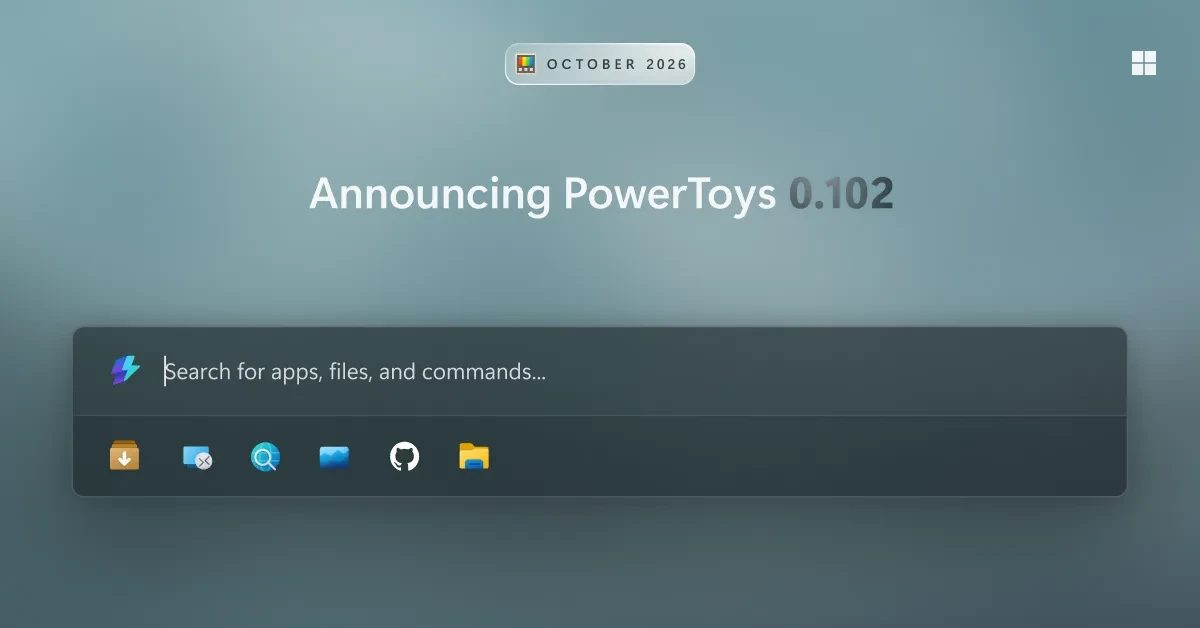
Microsoft’s PowerToys, a free bundle of more than 30 utilities for Windows, now lets users drive several of its tools from the command line, turning a set of time-saving desktop helpers into something that can run unattended.
The command-line support arrived in the suite’s 0.102 release and covers Advanced Paste, Light Switch, Peek, PowerDisplay and the PowerToys settings panel, according to Engadget. The same update placed the FancyZones, Image Resizer, File Locksmith and PowerDisplay commands on the system PATH, so they can be invoked from any folder rather than from a fixed install directory.
The practical effect is that repetitive setup work can be scripted. A single command, PowerToys.FancyZones.CLI.exe s columns –all, applies a column layout to every connected monitor at once. The settings tool can switch individual utilities on or off even when the main PowerToys application is not running. Because those commands are ordinary executables, they can be handed to Task Scheduler, Windows 11’s built-in automation feature, and fired at sign-in or on a recurring schedule — for example, to restore a preferred window layout the moment a user logs on.
PowerToys is maintained by Microsoft and distributed free on GitHub under an MIT license. It runs on Windows 11 and on Windows 10 version 2004 and later, on both x64 and ARM64 hardware, and can be installed from the Microsoft Store, from GitHub or through the WinGet package manager. Every utility inside the pack can be toggled on or off individually.
The window-layout tools remain the centerpiece
FancyZones, which splits a display into regions that windows snap into, is the module Microsoft’s users most often cite as the reason to install the pack. Pressing Win + Shift + the backtick key opens a layout editor offering ready-made templates or a custom Grid, whose cells can be divided and merged, or a Canvas where zones are allowed to overlap. Holding Shift while dragging a window highlights the zones; releasing over one resizes the window to fit. An option to move newly created windows to their last known zone sends applications back to their assigned positions each time they reopen, and custom layouts can be bound to number keys for instant recall.
The Workspaces utility builds on that by launching a group of applications together. Its editor, opened with Win + Ctrl + the backtick key, lets a user arrange apps, capture the arrangement and save it as a desktop shortcut, with command-line arguments attachable to each program. One limitation: PowerToys cannot instruct an application where to open, so it starts each one and then moves it into place, producing a visible shuffle as windows load.
PowerRename handles bulk file naming. After selecting a group of files and choosing the rename option from the context menu, users get search-and-replace fields with a live preview of every new name. The tool accepts regular expressions, counters that begin at any number and variables that pull in each file’s creation date. For images it can read EXIF metadata, so a folder of camera-generated filenames can be renamed to the date and device that produced each shot. An entire batch can be undone with Ctrl + Z.
Keyboard Manager remaps keys and shortcuts system-wide or within a specific application, identified by its process name — msedge.exe for Edge, for instance. A single key can be given a second function when pressed alone while retaining its normal behavior inside combinations, and shortcuts can be configured to expand text, open a URL or launch a program. Some core combinations, including Win + L and Ctrl + Alt + Del, cannot be remapped. Remaps are active only while PowerToys is running in the system tray, which makes them easy to suspend temporarily.
Command Palette, introduced in 2025 as the successor to PowerToys Run, is a launcher invoked with Win + Alt + Space. Typing into it opens applications, evaluates arithmetic, runs commands after a > character or searches the web after ??. Frequently used commands can be pinned beneath the search box and triggered with Alt + 1 through Alt + 9. The older Run tool is still bundled for users who prefer it.
Utility
What it does
Notable constraint
FancyZones
Splits displays into snap regions; layouts restorable by hotkey or CLI
Showing zones on all monitors while dragging can affect performance
Workspaces
Launches and positions a group of apps from a saved shortcut
Cannot tell an app where to open; windows move after launch
PowerRename
Bulk rename with regex, counters, date variables and EXIF data
Changes are reversible with Ctrl + Z
Keyboard Manager
Remaps keys and shortcuts globally or per app
Cannot remap Win + L or Ctrl + Alt + Del; may hurt game performance
Command Palette
Launcher for apps, math, commands and web search
Pinned commands limited to nine slots
Note: Details drawn from the 0.102 release and the current PowerToys feature set.
Performance trade-offs and the wider automation push
Microsoft acknowledges that some utilities keep a helper process resident in memory so they respond instantly, consuming resources even when idle. The company also warns that Keyboard Manager can degrade performance in games and that FancyZones’ option to display zones on every monitor during a drag may slow the system. Disabling unused modules is the recommended remedy.
The scripting additions land as Microsoft pushes automation deeper into the Windows toolchain. A separate experimental application, Intelligent Terminal, integrates AI agents directly into a terminal environment and reached its largest update yet with version 0.3.3083.0 on November 4, adding a vertical tab sidebar that tracks agent status, a headless mode that keeps shells and agent panes running after a window is closed, and automatic profile creation for installed agent command-line tools including GitHub Copilot CLI, Claude, Codex and Google’s Antigravity. That project is distributed separately from Windows Terminal and does not conflict with it.
For IT administrators and power users, the significance of PowerToys’ command-line layer is that desktop personalization becomes reproducible. Window layouts, display configurations and file-naming conventions that once had to be re-created by hand on every machine can be encoded as scripts and deployed through existing Windows scheduling infrastructure, with no third-party automation software required.
The broader caveat is that PowerToys remains a collection of optional add-ons rather than a managed enterprise product, and its behavior depends on which modules a user leaves enabled. Organizations weighing deployment will need to decide on a standard configuration and account for the background processes each enabled utility keeps alive.
For years, many bosses have been adamant that employees use AI at all costs — despite research suggesting there’s little to gain from it in terms of productivity, evidence that flies in the face of the tech industry’s repeated promises of a workplace revolution brought on by the tech.
But now that execs are drowning in meaningless “workslop,” they’re starting to sing a very different tune. As Business Insider reports, one CEO of a tech recruiting company suddenly found herself being inundated with Slack messages from employees that they’d clearly generated using AI, leading her to implement a new policy that strictly forbids the practice for internal communications.
She’s not the first. One anonymous CEO got so fed up, they threatened to “fire the next person” who blasted them with unedited ChatGPT slop, as Inc reported earlier this year. Instead of fundamentally reshaping white collar industries for the better, it’s finally dawning on bosses that the extensive and often counterproductive use of AI tools could be doing far more harm than good.
Case in point, in a new study published in the journal The Leadership Quarterly, a team of researchers led by Hebrew University of Jerusalem PhD student Samuel Meyers found that employees who doubled down on using tools like ChatGPT are being trusted less by their employers, actively hurting their chances of promotion.
That’s even at workplaces where the use of AI tools are still actively being encouraged, suggesting there’s a paradoxical price workers who embrace the tech are paying.
In a series of experiments, the team asked supervisors to decide whether to trust an employee’s report, while knowing whether they had used AI or not — but not basing their judgment on the quality of the work itself. Employees who didn’t use AI had a 68 percent chance of earning their trust. When they used AI, that number shrank down to just 24 percent.
“AI is changing not only how we work, but also how we judge the people we work with,” said coauthor and Hebrew University of Jerusalem senior lecturer Yochanan Bigman in a statement. “An employee may use AI to produce better work more efficiently yet still lose their manager’s trust simply because AI was involved.”
As a result, “organizations need to recognize that adopting AI is not just a technological challenge — it is also a psychological and managerial one,” Bigman added.
Beyond eroding trust, executives have also found that the use of AI agents and coding tools in particular have sent costs soaring, seriously hurting their companies’ bottom lines and often forcing them to reverse course and cut spending.
Meanwhile, researchers have yet to detect a meaningful windfall from using AI at work, making it an expensive distraction. Polls have shown that the vast majority of CEOs haven’t seen any productivity gains.
It’s a particularly unfortunate reality as the job market continues to deteriorate, with or without any AI-related productivity boost.
Employees are now stuck between a rock in a hard place: either follow their supervisors’ instructions and use AI, or earn their trust by ignoring those calls. Meyers and his colleagues worry this growing tension could give rise to “shadow AI” — undisclosed use of the tech at work, that could further hurt their career prospects.
More on work and AI:There Are Now Growing Signs That AI Is Hurting Employment in the Job Market